Optimize Recipe Content with the Schema
The recipe templates for The Ryder Theme for Hugo websites are progressing well. Today I released an update that creates the schema.org json-ld specification tags for a recipe. This allows your recipe content to show up as “rich content” in search engines and social media platforms.
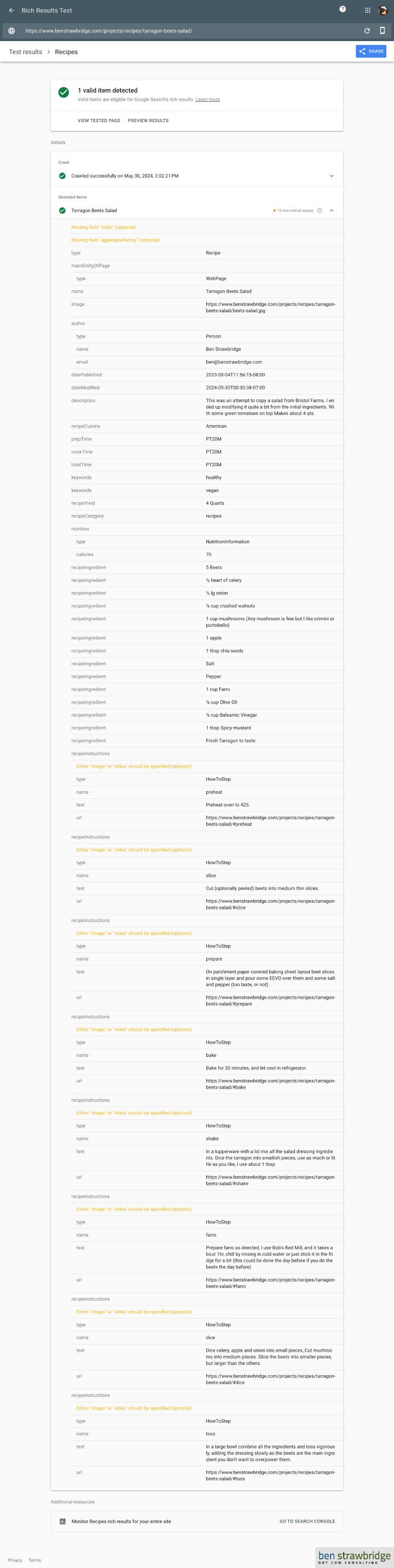
Using my favorite sample data recipe, Tarragon Beets Salad, you can see the metadata laid out as it is seen by computers on this Google test tool. Rich Results Test.
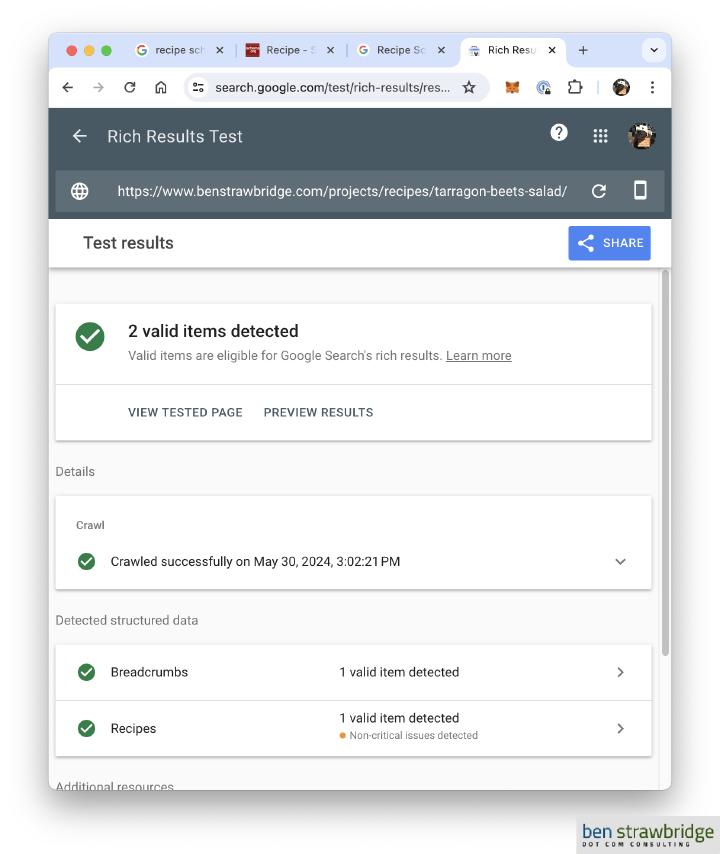
The warnings received are because there were no images defined for each HowToStep of the recipe. The entire recipe does have an image url; it uses the same image url that is used to generate the OG tags.
This update was helped greatly by @idarek on the Hugo forums and his recipe website Yummy Recipes UK - Nut-Free Cooking & Baking. I did modify the code posted on those forum pages to expand the schema to support HowToStep for each step of the recipe, instead of just posting the entire recipe in one HowToStep.
I did this by including a table in the Front matter of each page for each step and the data.
Front matter
Ingredients is an actual taxonomy setup in hugo.toml, so that is just a summary of the main ingredients. It then creates taxonomy pages for these main ingredients, so I can have summary pages of all the recipes using my favorite ingredients easily… like Mushrooms
recipeIngredients is the list of actual recipe ingredients with the units built into the string. There is the dream of separating units out but it is too complicated to do with Hugo on this first pass through.
Each [[recipeInstruction]] is essentially an array of tables to which you can add what is needed. I override name with a ** which skips that row in the schema and outputs a header in the template.
ingredients = [
  "beets",
  "celery",
]
recipeIngredients = [
    "**FOR SALAD",
    "5 Beets",
    "½ heart of celery",
    ...
]
[[recipeInstructions]]
  name = "**For Beets (Can be done the day before)"
[[recipeInstructions]]
  name = "preheat"
  text = "Preheat oven to 425."
[[recipeInstructions]]
  name = "slice"
  text = "Cut (optionally peeled) beets into medium thin slices."
  ...
Shortcodes
Here are the shortcode which are included as part of the Ryder Theme from arts-link.com.
recipe-ingredients-list.html
 1{{ with .Page.Params.recipeIngredientsTitle }}
 2<p class="flex items-center gap-2 text-xs font-bold uppercase tracking-widest text-amber-600 dark:text-amber-400 mb-4">
 3  <i class="fa-solid fa-seedling"></i> {{ . }}
 4</p>
 5{{ end }}
 6<div class="grid grid-cols-1 sm:grid-cols-2 gap-1 my-4">
 7  {{ with .Page.Params.recipeIngredients }}
 8    {{ $itemCount := 1 }}
 9    {{ range $index, $element := . }}
10      {{ if findRE "^\\*\\*" $element }}
11        <div class="col-span-full flex items-center gap-3 mt-5 mb-2">
12          <span class="h-px flex-1 bg-stone-200 dark:bg-stone-700"></span>
13          <span class="text-xs font-bold uppercase tracking-widest text-stone-400 dark:text-stone-500">{{ replaceRE "^\\*\\*" "" $element }}</span>
14          <span class="h-px flex-1 bg-stone-200 dark:bg-stone-700"></span>
15        </div>
16      {{ else }}
17        <div class="flex items-start gap-3 px-3 py-2.5 rounded-lg hover:bg-amber-50 dark:hover:bg-stone-800 transition-colors duration-150 group">
18          <span class="flex-none mt-0.5 w-6 h-6 rounded-full bg-amber-100 dark:bg-amber-900/40 text-amber-700 dark:text-amber-400 text-xs font-bold flex items-center justify-center ring-1 ring-amber-200 dark:ring-amber-800 group-hover:bg-amber-200 dark:group-hover:bg-amber-800 transition-colors">{{ $itemCount }}</span>
19          <span class="text-stone-700 dark:text-stone-300 text-sm leading-snug">{{ $element | markdownify }}</span>
20        </div>
21        {{ $itemCount = add $itemCount 1 }}
22      {{ end }}
23    {{ end }}
24  {{ else }}
25    <div class="text-stone-400 italic text-sm">No ingredients listed.</div>
26  {{ end }}
27</div>
recipe-howto-steps-list.html
 1{{ $page := .Page }}
 2<div class="my-4 space-y-3">
 3  {{ with .Page.Params.recipeInstructions }}
 4    {{ $itemCount := 1 }}
 5    {{ range $index, $element := . }}
 6      {{ if findRE "^\\*\\*" $element.name }}
 7        <div class="flex items-center gap-3 pt-4 pb-1">
 8          <i class="fa-solid fa-utensils text-amber-500 dark:text-amber-400 text-sm"></i>
 9          <span class="text-xs font-bold uppercase tracking-widest text-stone-500 dark:text-stone-400">{{ replaceRE "^\\*\\*" "" $element.name }}</span>
10          <span class="h-px flex-1 bg-stone-200 dark:bg-stone-700"></span>
11        </div>
12      {{ else }}
13        <div class="flex gap-4 p-4 rounded-xl bg-stone-50 dark:bg-stone-900 border border-stone-100 dark:border-stone-800 hover:border-amber-200 dark:hover:border-amber-800 hover:bg-amber-50 dark:hover:bg-stone-800 transition-all duration-200" id="{{ $element.name }}">
14          <div class="flex-none pt-0.5">
15            <div class="w-9 h-9 rounded-full bg-amber-500 dark:bg-amber-600 text-white font-bold text-base flex items-center justify-center shadow-sm">{{ $itemCount }}</div>
16          </div>
17          <div class="flex-1 min-w-0">
18            {{ if $element.name }}
19            <p class="text-xs font-bold uppercase tracking-widest text-amber-600 dark:text-amber-400 mb-1">{{ $element.name }}</p>
20            {{ end }}
21            <p class="text-stone-700 dark:text-stone-300 leading-relaxed">{{ $element.text | markdownify }}</p>
22            {{ if $element.image }}
23            <div class="mt-3">
24              {{- $opts := dict "page" $page "alt" $element.name "title" $element.name "src" $element.image }}
25              {{- partial "picture.html" $opts }}
26            </div>
27            {{ end }}
28          </div>
29        </div>
30        {{ $itemCount = add $itemCount 1 }}
31      {{ end }}
32    {{ end }}
33  {{ else }}
34    <div class="text-stone-400 italic text-sm">No how-to steps listed.</div>
35  {{ end }}
36</div>
Test results